 BETA
Fix your Norwegian right where you write — and turn every mistake into practice, so you need AI less every week.

Stop switching tabs to paste every email into a chatbot. Fix it on the spot and send with confidence.
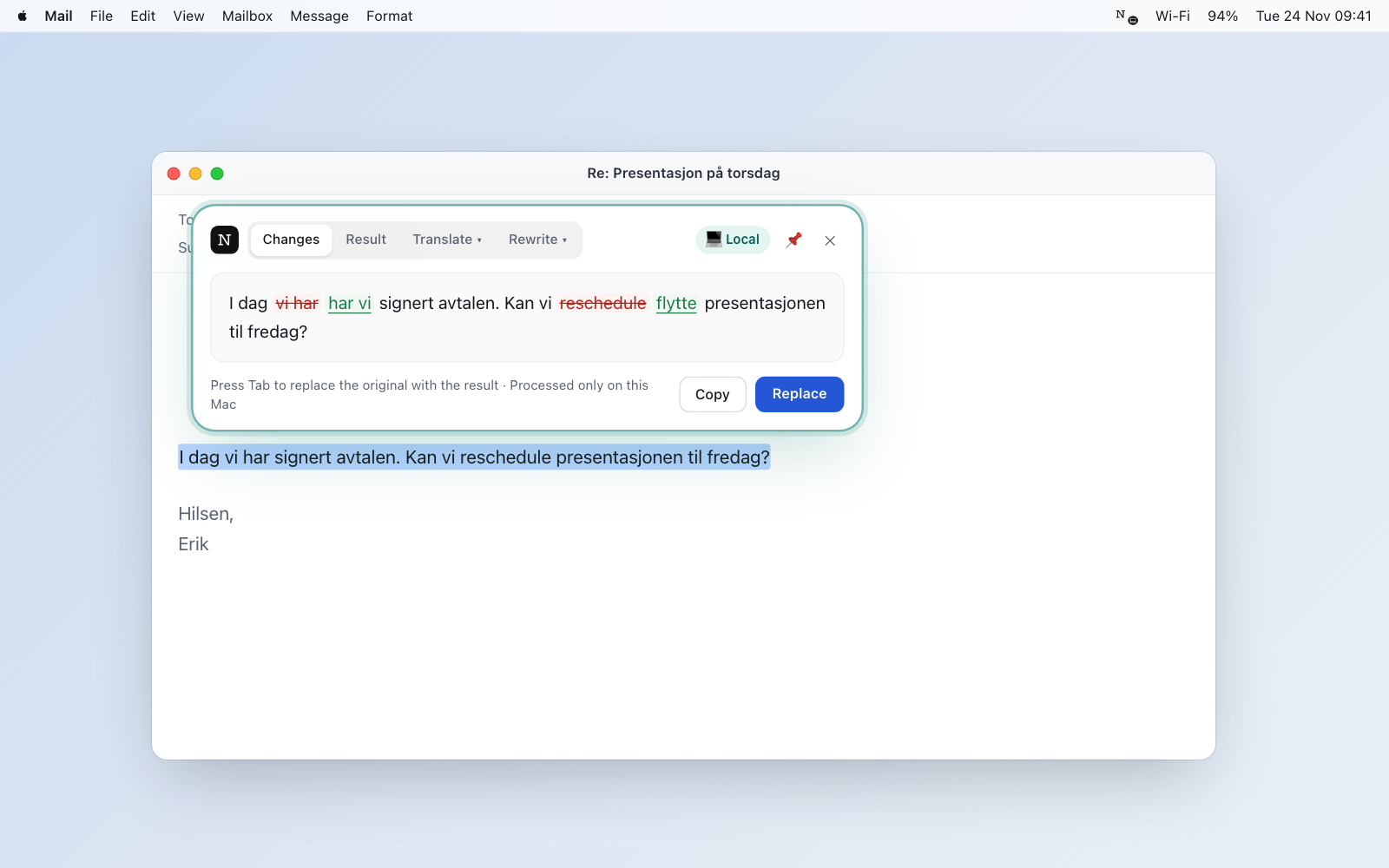
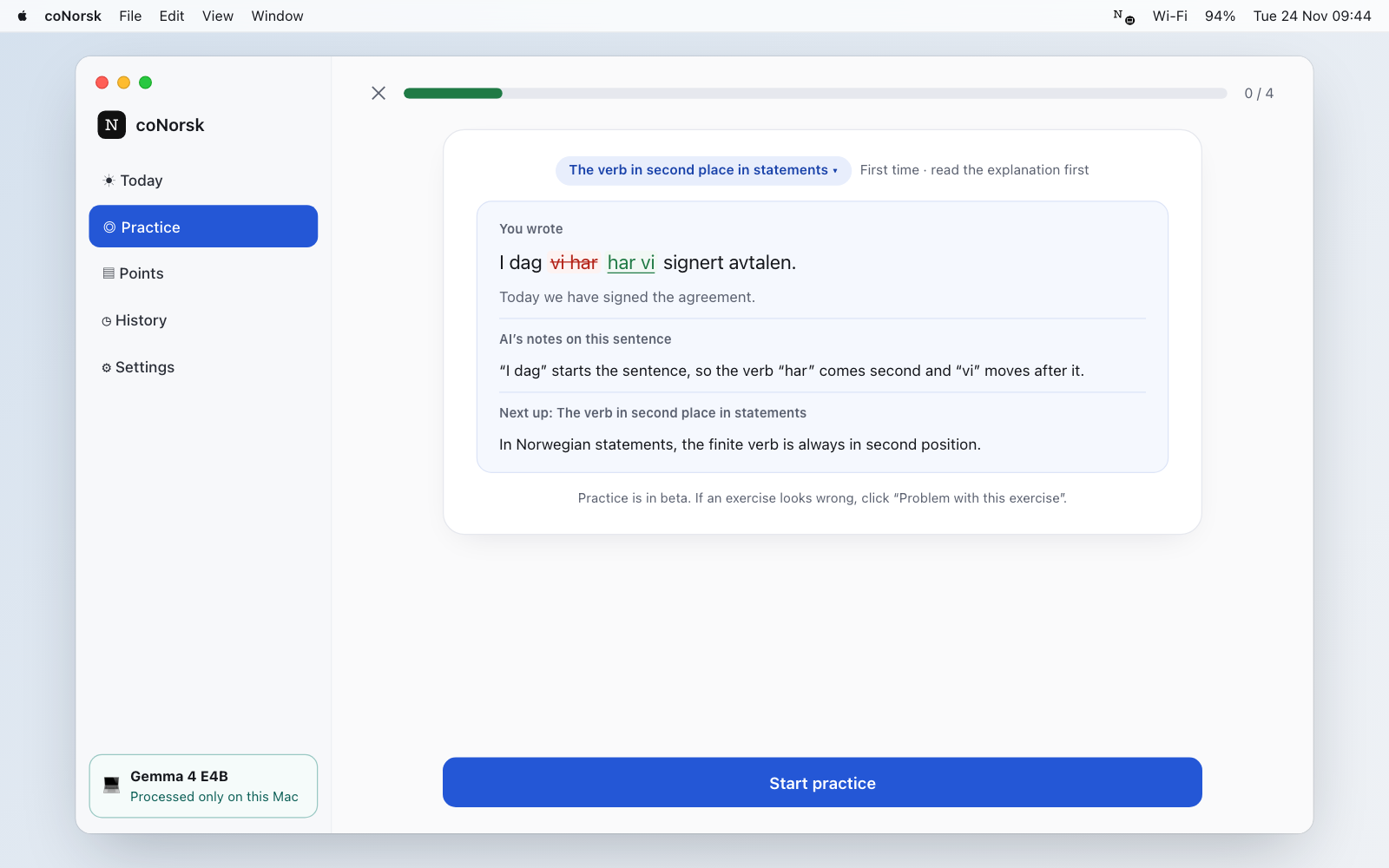
Chatbots fix your email and leave nothing behind. coNorsk turns every fix into short practice from your own sentences.
Built-in AI works offline. Prefer the cloud? coNorsk checks personal details on your Mac first.
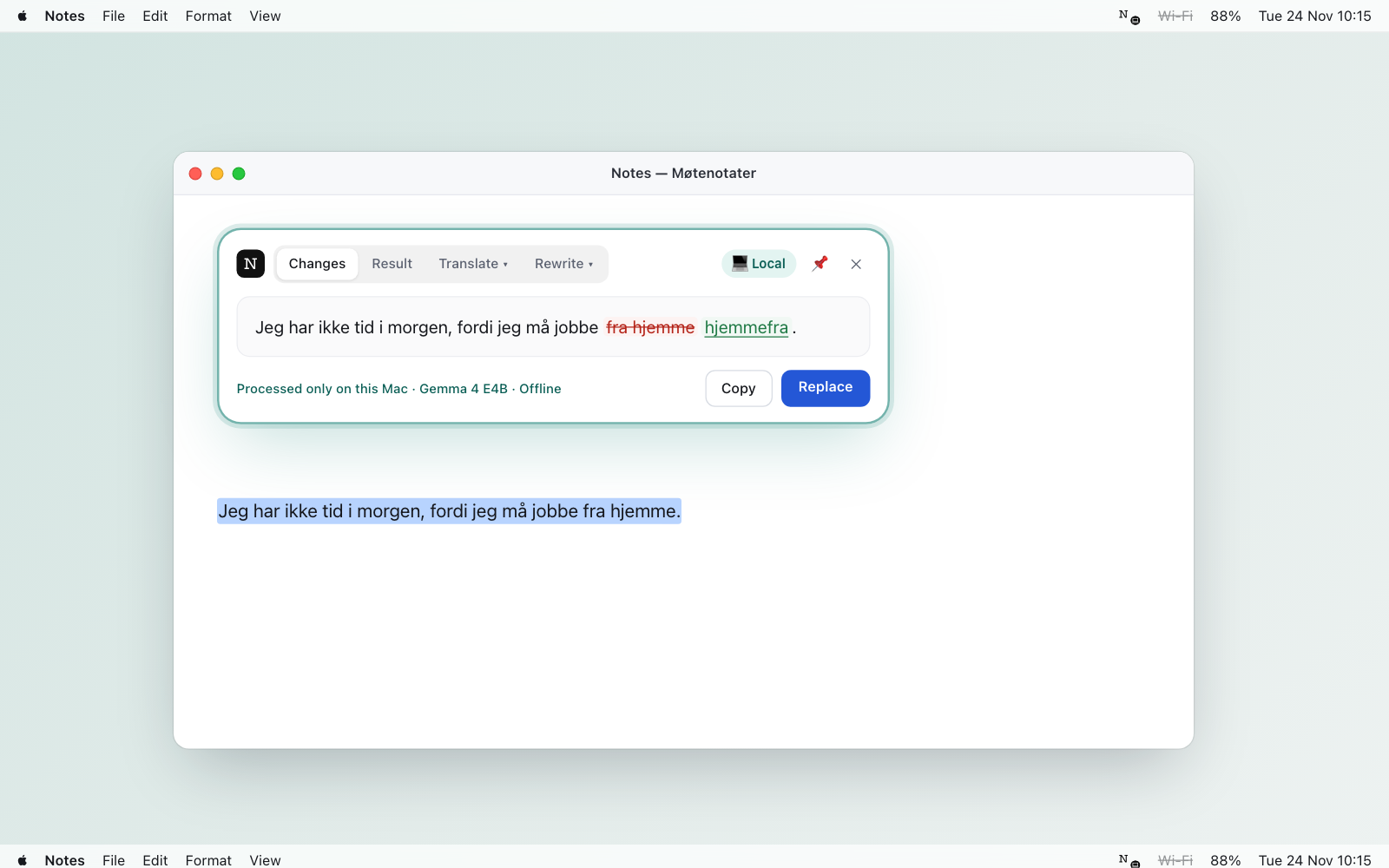
Google Gemma 4 runs on your Mac. No internet, no account, no AI bill.
Personal details are caught on your Mac first. Pay raw API rates directly — zero markup, just a few kroner a month for daily use.
Optional: drop in a word from English, Polish or Chinese, and choose which language it returns in.
From formal to casual, without leaving the panel.
Pick a language in the panel. Your three most recent stay on top.
Swaps recognised phone numbers, emails or IDs for stand-ins before cloud requests, then restores them.
Only catches details it recognises; use local for anything sensitive.
Nothing pops up while you type. Select text, press your shortcut to get help, then apply the fix.
Use the free offline model on your Mac, or connect your own cloud AI. Lock sensitive apps to always stay local.

I moved to Norway and write Norwegian at work every day. Chinese is my first language. For a long time, every email meant pasting my Norwegian into a chatbot, copying the answer back — and making the same mistake again the next week.
AI was fixing my emails, not my Norwegian. So I built coNorsk: it fixes my writing where I work, and remembers what I got wrong so I actually learn it. I use it every day.
— Founder of coNorsk
No credit card · free starter credits
Cancel anytime
Pay once · yours to keep
People who work or look for work in Norway and write Norwegian before they feel fully at home in it. It’s built for Norwegian Bokmål only.
Yes. Download the built-in model once and writing help works without internet.
With the built-in model, it stays on your Mac. With a cloud model, only the text for that task goes to the provider you chose, and every result names it.
No. Use it only for help if you like. Your points wait until you’re ready.
It works in most Mac apps. In some web-based apps, putting text back may not work — you can always copy instead.
macOS 14 Sonoma or later and a Mac with Apple silicon. You’ll allow Accessibility access so coNorsk can read the text you select.

Stand in the queue for free beta access with starter AI credits. Built for people who write Norwegian on a Mac every day.
Join the beta queue